Cloud Platform Integration Examples
This document describes integrating with the Guangyun IoT platform using Combo-AT commands.
Important
These examples may vary depending on the module. Refer to Firmware Versions and Feature Differences for command support on your module.
Command Flow
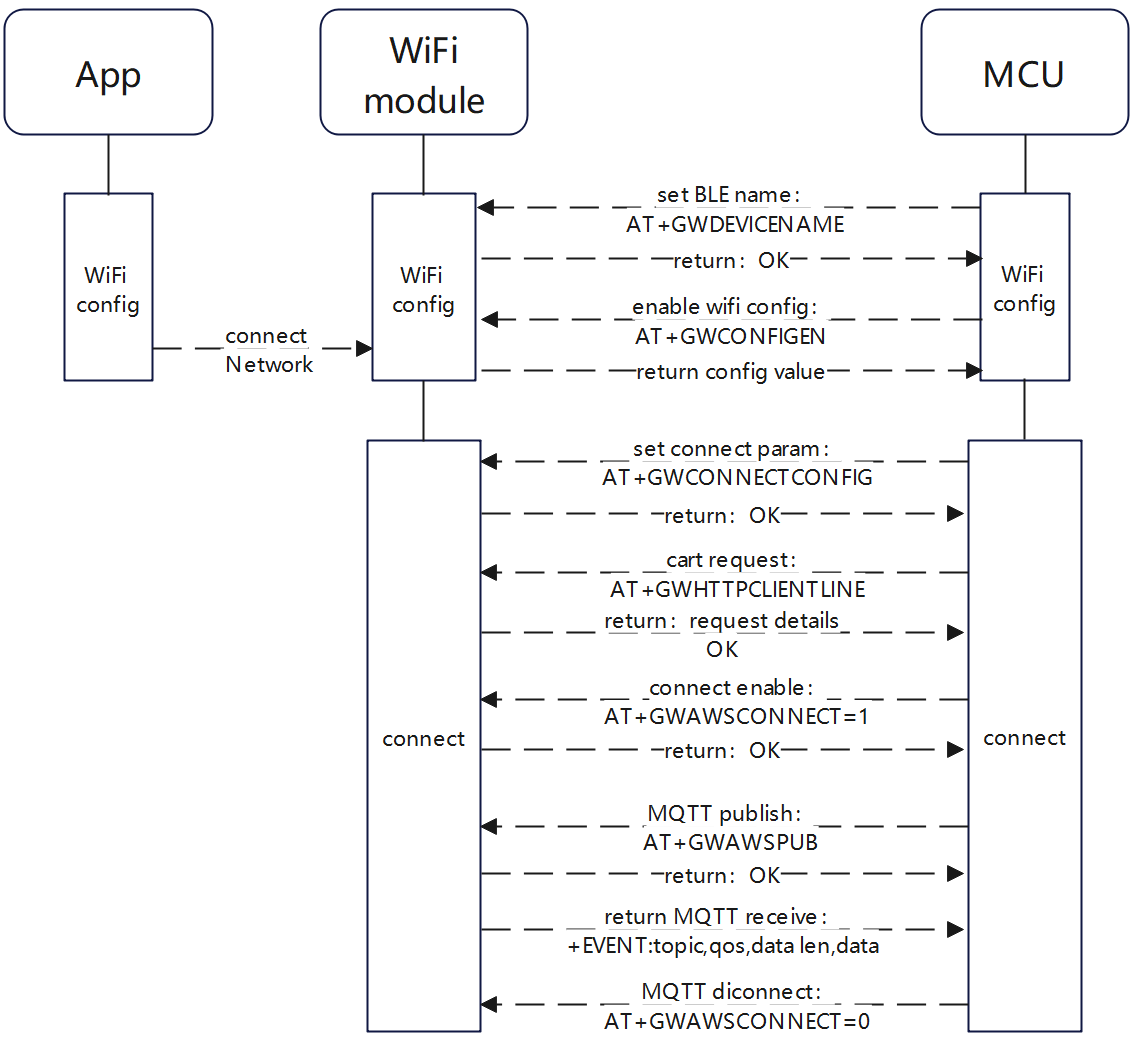
Guangyun App Wi-Fi Provisioning
BLE Provisioning:
Configure the Bluetooth name and PID for provisioning. The app filters by name by default; the name must contain the granwin field.
Command:
AT+GWDEVICENAME="granwin_dev",137Response
OK
Start provisioning (BLE provisioning only)
Command:
AT+GWCONFIGENResponse
+EVENT:BLE_CONNECT

+EVENT:BLE_DISCONNECT

+EVENT:BLE_CONNECT

+EVENT:WIFI_CONNECT

+EVENT:WIFI_GOT_IP

+EVENT:BLE_DISCONNECT

OK
Platform Connection
Important
Before connecting to the cloud platform, create a product on the Granwin platform to obtain the productKey. Provide the authorization parameters to Granwin staff to obtain the clientID, Secret, and vendor PID.
Configure connection parameters
Command:
AT+GWCONNECTCONFIG="xxxxxxxxx","xxxxxxxxx","xxxxxxxxxxxx"Response
OK
Certificate request
Command:
AT+GWHTTPCLIENTLINEResponse
+EVENT:GET TIME:1678693267532
+EVENT:GET TOKEN SUCCESS
+EVENT:GET PRIVATEKEY CART SUCCESS
+EVENT:GET DEVICE CART SUCCESSS

OK
Connect to and disconnect from the platform
Connect to platform command:
AT+GWAWSCONNECT=1Response
OKDisconnect command:
AT+GWAWSCONNECT=0Response
OK
Publish messages
Publish messages
Publish update command:
AT+GWAWSPUB=0,"{\"switch\":{\"type\":1,\"value\":1}}",1Response
OKPublish query response command:
AT+GWAWSPUB=1,"{\"switch\":{\"type\":1,\"value\":1}}",1Response
OK
Publish version number command:
AT+GWAWSPUB=2,"1.0.1",1Response
OK
Receive data
After connecting, relevant topics are subscribed automatically; data from the platform is returned directly.
Response
+EVENT:/user/get,1,61,{"data":{"switch":{"type":1,"value":1}},"time":1678871216899}
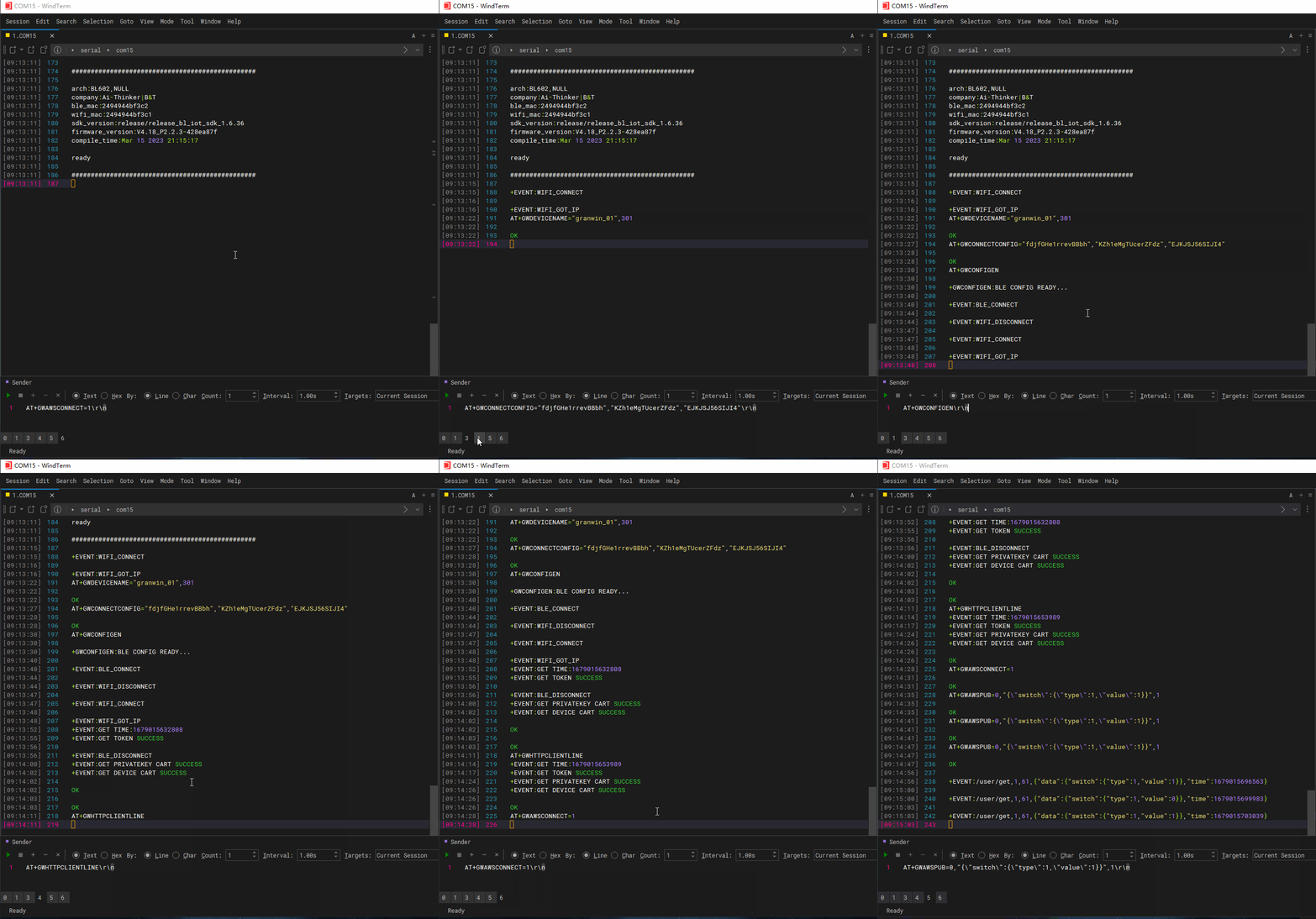
Complete Command Demo