Bluetooth LE AT Examples
This document describes detailed examples of Bluetooth® Low Energy AT Command Set commands.
Important
These examples may vary depending on the module. Refer to Firmware Versions and Feature Differences for command support on your module.
The following examples use two development boards: one as a peripheral (slave) and one as a central (master).
Note:
Optional commands may or may not be configured depending on your actual requirements.
GATT-Based BLE Communication
Peripheral (Slave):
Set the Bluetooth name; the default is ai-thinker if not set. (Optional; must be set before enabling peripheral mode)
Command:
AT+BLENAME=ai-thinkerResponse
OK
Enable peripheral mode
Command:
AT+BLEMODE=0Response
OK
Central (Master):
Enable central mode
Command:
AT+BLEMODE=1Response
OK
Scan nearby devices (optional; set after enabling central mode)
Command:
AT+BLESCAN=1Response
OK

Devices Found:1/5
name:ai-thinker
MAC:a81710d8f4e4
rssi:-23

Devices Found:2/5
name:N/A
MAC:03f3e35771ce
rssi:-73

Devices Found:3/5
name:N/A
MAC:45797518112f
rssi:-71

Devices Found:4/5
name:N/A
MAC:53e4da7c288f
rssi:-82

Devices Found:5/5
name:PB02-LIGHT
MAC:bb02bbbbbb0d
rssi:-89
Note:
Scan results vary depending on the Bluetooth devices in your environment.
Connect to the peripheral
Command:
AT+BLECONNECT=a81710d8f4e4Response
OK
>
Note:
After BLE connects, transparent transmission mode is enabled by default; any data received on the serial port is sent directly to the peer device. To send other commands or receive data from other connections (such as TCP), exit transparent mode first using +++ (without CR/LF). After exiting transparent mode, use AT+BLESEND to send BLE data, or AT+TRANSENTER to re-enter transparent mode.
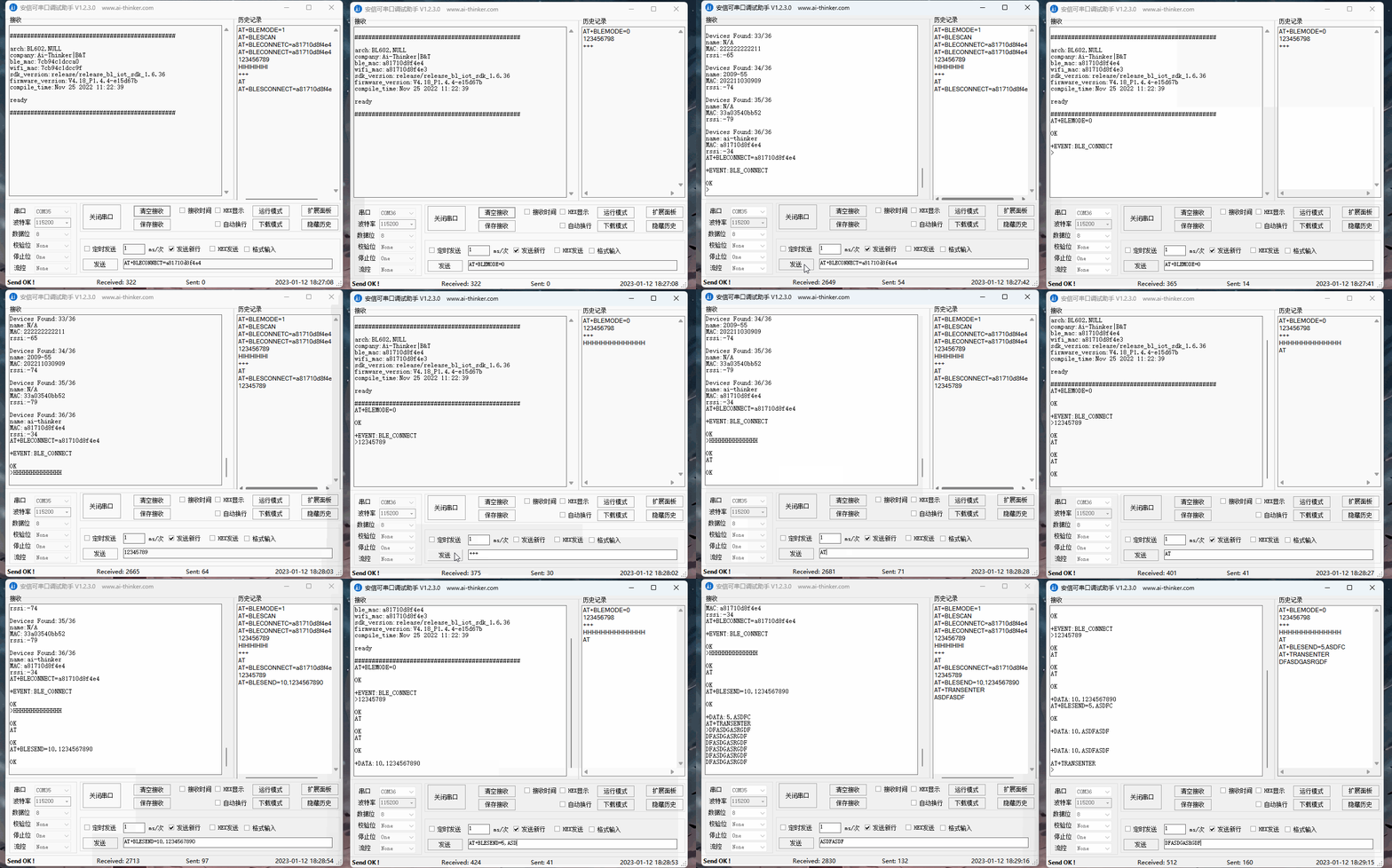
Animated Demo
Open the full-size image to view. Left window: central; right window: peripheral.
BLE iBeacon
Set Bluetooth iBeacon UUID (optional; set before enabling iBeacon)
Command:
AT+BLEIBCNUUID=00112233445566778899aabbccddeeffResponse
OK
Set Bluetooth iBeacon data (optional; set before enabling iBeacon)
Command:
AT+BLEIBCNDATA=1122,3344,5566,14Response
OK
Enable iBeacon
Command:
AT+BLEMODE=2Response
OK